I moved my coding agents to a small VPS and stopped them from taking it down
Claude Code on a 2 vCPU box, driven from my phone, with resource caps, rootless Docker and no secrets I'd cry about.
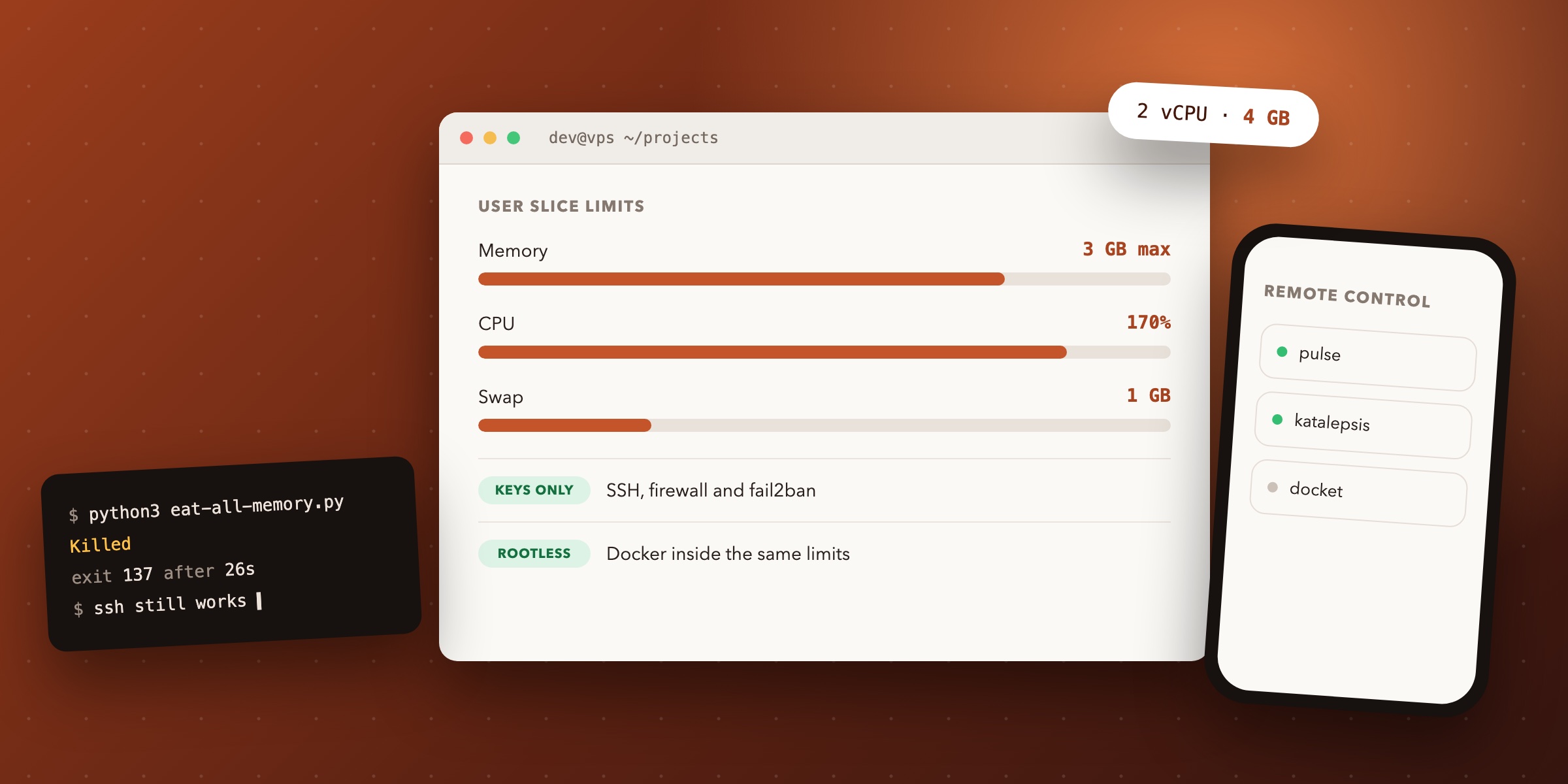
I had a VPS sitting there doing nothing. 2 vCPUs, 4 GB of RAM, a load average of basically zero. I wanted to start something on my phone, close it, and pick it up on my laptop later, without my laptop having to stay awake.
So I put my coding agents on it. Claude Code did most of the sysadmin work over SSH while I approved things, which is a funny way to build a house for yourself.
First, the box was getting hammered
Before installing anything fun, we looked around. Root password login was on, and there had been about 14,500 failed login attempts in the previous 24 hours.
So that went first: keys only.
PasswordAuthentication noKbdInteractiveAuthentication noPermitRootLogin prohibit-passwordThe 00- prefix matters. sshd keeps the first value it reads, and my provider’s image had a 50-cloud-init.conf that said PasswordAuthentication yes.
Changing SSH config over SSH is how people lock themselves out, so set a timer that undoes it unless you cancel it:
systemd-run --unit=ssh-rollback --on-active=240 /bin/sh -c \ 'rm -f /etc/ssh/sshd_config.d/00-hardening.conf; systemctl reload ssh'sshd -t && systemctl reload sshOpen a second connection. If it works, cancel the rollback with systemctl stop ssh-rollback.timer. Then ufw with only port 22 open, and fail2ban on top.
Give the agents a room, not the house
The agents run as a dev user with no sudo. Every login for that user lands in one systemd slice, so one file caps all of it:
[Slice]MemoryHigh=2950MMemoryMax=3GMemorySwapMax=1GCPUQuota=170%TasksMax=1500That leaves the system about a gigabyte and a bit of CPU, so I can still log in as root when something in dev goes feral.
The first version of this was worse. MemorySwapMax was 2G, and a test script that ate memory forever took about five and a half minutes to die, swapping the whole way. With the numbers above it was gone in 26 seconds.
A second agent reviewing the setup found three other holes:
- Cron escapes the caps. Cron jobs don’t run in your user slice. Putting only
rootin/etc/cron.allowcloses that. - A full disk hurts root too. The root filesystem had no reserved blocks.
tune2fs -m 5keeps 5% back. - One OOM kill can take the whole session with it.
DefaultOOMPolicy=continuein/etc/systemd/user.conf.d/stops that.
Rootless Docker, or the caps are decoration
A normal Docker daemon runs containers outside your user slice, so none of the limits above apply. Published ports can also slip past ufw. Rootless Docker fixes both.
After adding Docker’s apt repo:
systemctl mask docker.service docker.socket containerd.serviceapt-get install docker-ce docker-ce-cli containerd.io docker-compose-plugin \  docker-ce-rootless-extras uidmap dbus-user-session slirp4netns
mkdir -p /etc/systemd/system/user@.service.dprintf '[Service]\nDelegate=cpu cpuset io memory pids\n' \  > /etc/systemd/system/user@.service.d/delegate.confsystemctl daemon-reloadloginctl enable-linger dev
Then, logged in as dev:
dockerd-rootless-setuptool.sh installexport DOCKER_HOST=unix:///run/user/$(id -u)/docker.sockDon’t take my word for it. Start a container and check where it lives:
docker run -d --name probe -p 8099:80 nginx:alpinecat /proc/$(docker inspect -f '{{.State.Pid}}' probe)/cgroupThe path should sit under user-1000.slice. From my laptop, port 8099 was blocked. Clean up with docker rm -f probe.
The agents
Claude Code came from Anthropic’s apt repo. Remote Control, which I use below, needs a paid Claude plan. Google’s free Gemini CLI route moved to the Antigravity CLI (agy) in June, so that’s what went on. Codex went on too.
You still log in yourself. Logging in also doesn’t bring your instructions, skills, repos or memory over. I copied my AGENTS.md, CLAUDE.md and skills, and added a few lines telling agents this machine is small and to run one heavy thing at a time.
Phone to laptop
I assumed I needed Tailscale for this. I didn’t. Claude’s Remote Control only makes outbound connections, so the session on the VPS shows up in the Claude app and on claude.ai/code.
This is the little helper that keeps one per project inside tmux:
#!/usr/bin/env bash# crc [project]set -euo pipefaildir=${1:-$PWD}[ -d "$HOME/projects/$dir" ] && dir="$HOME/projects/$dir"dir=$(cd "$dir" && pwd)# never start a session in the home folder, where the credentials livecase "$dir" in "$HOME"/projects/*) ;; *) echo "usage: crc <project>" >&2; exit 2 ;;esacname=$(basename "$dir")session="rc-${name//./-}"if ! tmux has-session -t "=$session" 2>/dev/null; then tmux new-session -d -s "$session" -c "$dir" \ "until claude remote-control --name '$name' --spawn same-dir --capacity 2; do sleep 30; done"fiexec tmux attach-session -t "=$session"The first run in a folder asks whether you trust it. Read it and answer it yourself.
On the laptop:
# ~/.zshrc, with a matching "Host osa" block in ~/.ssh/configalias ssh-osa='ssh osa'osa-rc() { ssh -t osa "bash -lc 'crc ${1:-}'"; }I added Tailscale anyway, on the VPS and both phones, for reaching the box privately and looking at dev servers. The free plan is for non-commercial use.
Moving code and secrets
My Mac fought back. iCloud had evicted a lot of files, including Git objects, and reading them just hung. Cloning from GitHub and copying over only what had changed locally was far quicker. Check dates before you overlay anything: our first pass dropped some old files into newer checkouts, and we had to pull them back out.
For secrets I did the boring thing: .env files copied over SSH, chmod 600, ignored by Git. The rule that matters is that anything dev can read, an agent can read. Development keys with low spending limits only.
My work repositories stayed off. A personal server isn’t the place for them without a clear yes from the people who own the code.
Where I’ve landed
The useful part wasn’t installing three agents. That takes minutes. The useful part was making sure a runaway process can only take its own slice of memory and CPU, and gets killed in under half a minute. That doesn’t protect the files the agents can reach, so choose those carefully.
Start with SSH, cap the user, prove the cap with something that tries to break it, and only then hand it your code.